

The tricky part in 2026 isn’t finding a CRM — it’s finding the right one. There are dozens of solid platforms, and most of them look great on a pricing page and less great after you’ve paid for a year and realized half the features are locked behind a tier you didn’t buy. This guide breaks down the best CRM solutions for small businesses right now, what each one actually does well, where it falls short, and who should (and shouldn’t) buy it.
Running a small business is exciting, but managing customer relationships can quickly become overwhelming as your company grows.
Whether you’re handling dozens or thousands of customers, manually tracking conversations, follow-ups, sales opportunities, invoices, and support requests is no longer practical.
That’s where Customer Relationship Management (CRM) software becomes an essential business tool.
A CRM helps businesses organize customer information, automate repetitive tasks, improve communication, and increase sales—all from one centralized platform.
Today’s CRM software goes far beyond contact management. Modern platforms offer AI-powered insights, email marketing automation, sales forecasting, workflow automation, customer support integration, and detailed reporting.
Many CRM providers also offer affordable plans designed specifically for startups and small businesses, making enterprise-level technology accessible to companies with limited budgets.
In this guide, we’ll explore the best CRM software for small businesses in 2026, compare their strengths and weaknesses, discuss pricing, and help you decide which solution best fits your needs.
Table of Contents
What Is a CRM?
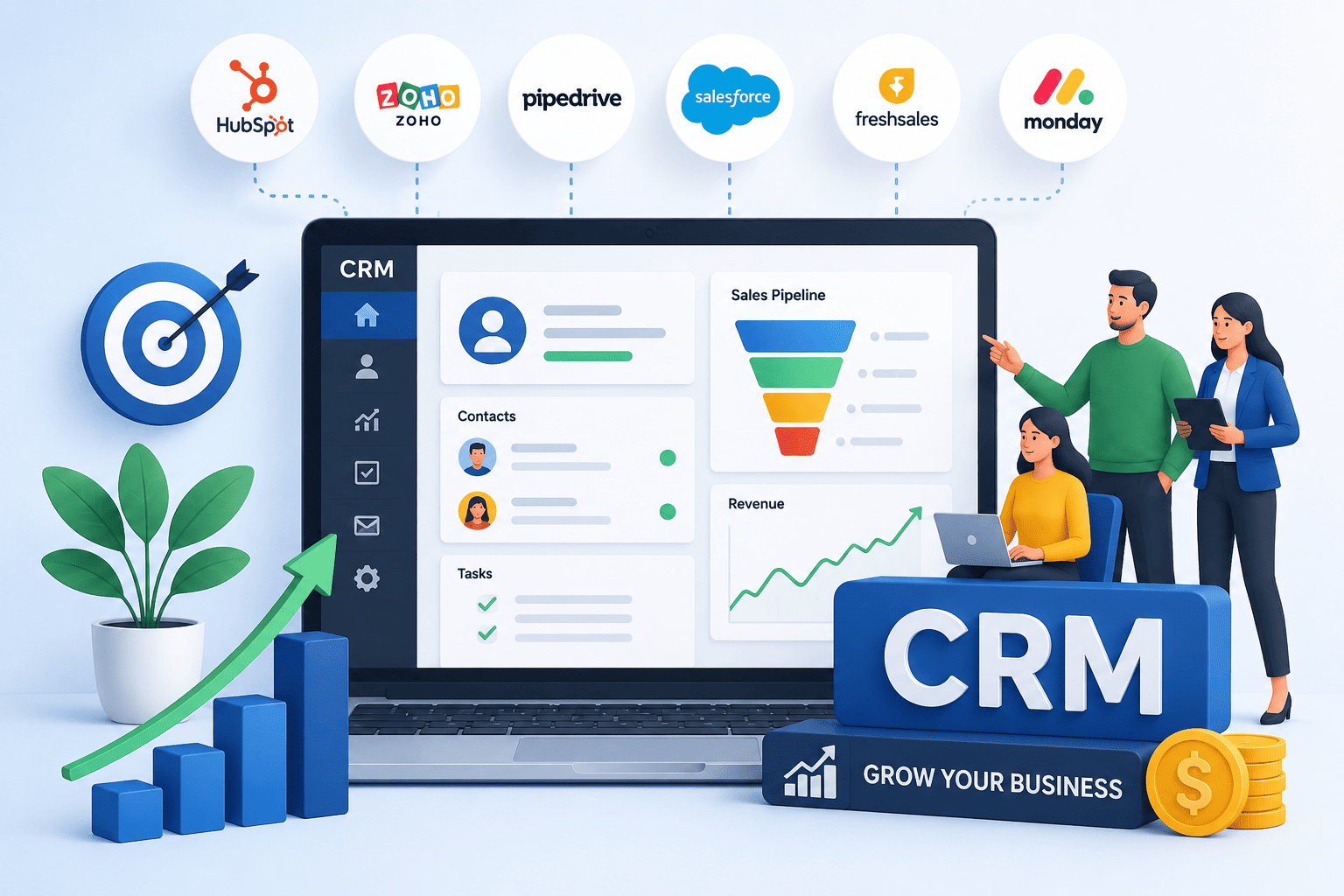
A modern illustration showcasing CRM software that helps small businesses streamline customer management, automate workflows, improve sales, and accelerate business growth.
Customer Relationship Management (CRM) software is a digital platform that helps businesses manage every interaction with their customers and prospects.
Instead of storing customer information in multiple places, a CRM creates a centralized database that allows businesses to easily access contact details, purchase history, communication records, sales opportunities, appointments, and customer support interactions.
Think of a CRM as the command center for your business relationships.
Every email, phone call, meeting, quote, invoice, and customer interaction can be tracked in one place, allowing your team to provide faster and more personalized service.
Why Small Businesses Need CRM Software
Small businesses run on relationships, but relationships are easy to lose track of once you’re juggling more than a handful of customers. Sticky notes, inboxes, and spreadsheets work for a while — until a follow-up gets missed, a lead goes cold, or two team members email the same client with conflicting information.
CRM software solves this by giving every customer interaction a single home. Instead of guessing where a deal stands, business owners can see the full history — calls, emails, purchases, and open tasks — in one place.
Beyond organization, a CRM saves time. Automated reminders, follow-up sequences, and reporting mean less manual data entry and fewer dropped leads.
It also helps small teams look more professional and responsive than their size might suggest, since nothing depends on one person’s memory.
In short, a CRM isn’t a luxury reserved for big companies — it’s often the difference between a business that scales smoothly and one that outgrows its own systems.
A CRM helps small businesses:
- Organize customer information
- Track leads automatically
- Follow up with potential customers
- Improve customer retention
- Automate repetitive administrative tasks
- Increase sales conversions
- Manage marketing campaigns
- Create accurate sales reports
- Forecast revenue
- Improve team collaboration
Instead of spending hours updating spreadsheets, your team can focus on building relationships and growing the business.
What Makes a CRM “Good” for a Small Business?
Before jumping into the list, it helps to know what actually matters when you’re comparing tools. Enterprise CRMs are built for 500-person sales floors with dedicated admins. You don’t need that.
Not every CRM offers the same capabilities. Before investing in one, consider the features your business actually needs.
-
Contact Management
The foundation of every CRM is customer contact management. A good CRM stores names, emails, phone numbers, company information, purchase history, notes, and communication records in one organized location.
-
Sales Pipeline Management
Visual sales pipelines allow businesses to track every deal from the first inquiry to closing the sale. This helps sales teams understand where each customer is in the buying journey.
-
Workflow Automation
Automation saves valuable time by automatically assigning leads, sending follow-up emails, scheduling reminders, and updating customer records.
-
Email Integration
Most modern CRMs integrate with Gmail and Outlook, allowing businesses to send and receive emails without leaving the CRM.
-
Reporting & Analytics
Business owners need data to make better decisions. CRM dashboards provide insights into:
-
- Sales performance
- Lead conversion
- Revenue growth
- Customer acquisition
- Team productivity
-
Mobile Access
Many entrepreneurs work on the move. Mobile CRM apps allow users to update customer records, schedule meetings, and respond to leads from anywhere.
-
AI Features
Artificial Intelligence is transforming CRM software. Many modern CRMs now include:
-
- AI email writing
- Sales predictions
- Lead scoring
- Chatbots
- Meeting summaries
- Smart recommendations
These tools help small businesses save time while improving customer engagement.
Quick Comparison of the Best CRM Software for Small Businesses
| CRM | Best For | Starting Price* | Free Plan |
|---|---|---|---|
| HubSpot CRM | Startups & Growing Businesses | Free / Paid plans | ✅ |
| Zoho CRM | Budget-conscious Businesses | Affordable | ✅ |
| Pipedrive | Sales Teams | Paid | ❌ |
| Freshsales | AI-powered Sales | Paid | ✅ (limited) |
| Monday CRM | Project-focused Teams | Paid | ❌ |
| Salesforce Starter | Scaling Companies | Paid | ❌ |
| Capsule CRM | Simplicity | Paid | ✅ |
| Less Annoying CRM | Small Teams | Paid | ❌ |
| Nimble | Relationship Management | Paid | ❌ |
| EngageBay | All-in-One Marketing | Affordable | ✅ |
*Pricing and features can change over time. Always verify current plans before purchasing.
With that filter in mind, here’s the current lineup worth your attention.
1. HubSpot CRM — Best Free CRM Overall
Starting price: Free forever; paid plans scale up from there
Best for: Businesses that want to start free and grow into marketing + sales tools later. Like: Startups, Freelancers, Agencies, Growing companies, B2B businesses.
HubSpot’s free plan is still the most generous entry point in the industry.
You get unlimited users, contact and deal management, email tracking, a built-in meeting scheduler, and basic reporting — without entering a credit card.
For a business moving off spreadsheets or sticky notes, this is close to a perfect starting point.
The catch is that HubSpot’s free plan is a foundation, not a finish line.
Deeper automation, sequences, and advanced reporting sit behind paid tiers, and those tiers can climb quickly once you add marketing contacts or additional “hubs.” Still, if you want zero risk while testing whether a CRM actually fits how your team works, HubSpot is the obvious place to begin.
Pros:
- Excellent free plan
- Modern user interface
- Easy to learn
- Powerful marketing tools
- Excellent automation
- Strong integrations
- Scales with business growth
Cons
- Advanced features require higher-tier plans.
- Costs can increase as your team expands.
Why Choose HubSpot CRM?
HubSpot is ideal for businesses that want an all-in-one platform without a steep learning curve. Its free tools are powerful enough for many small businesses, while paid upgrades support long-term growth.
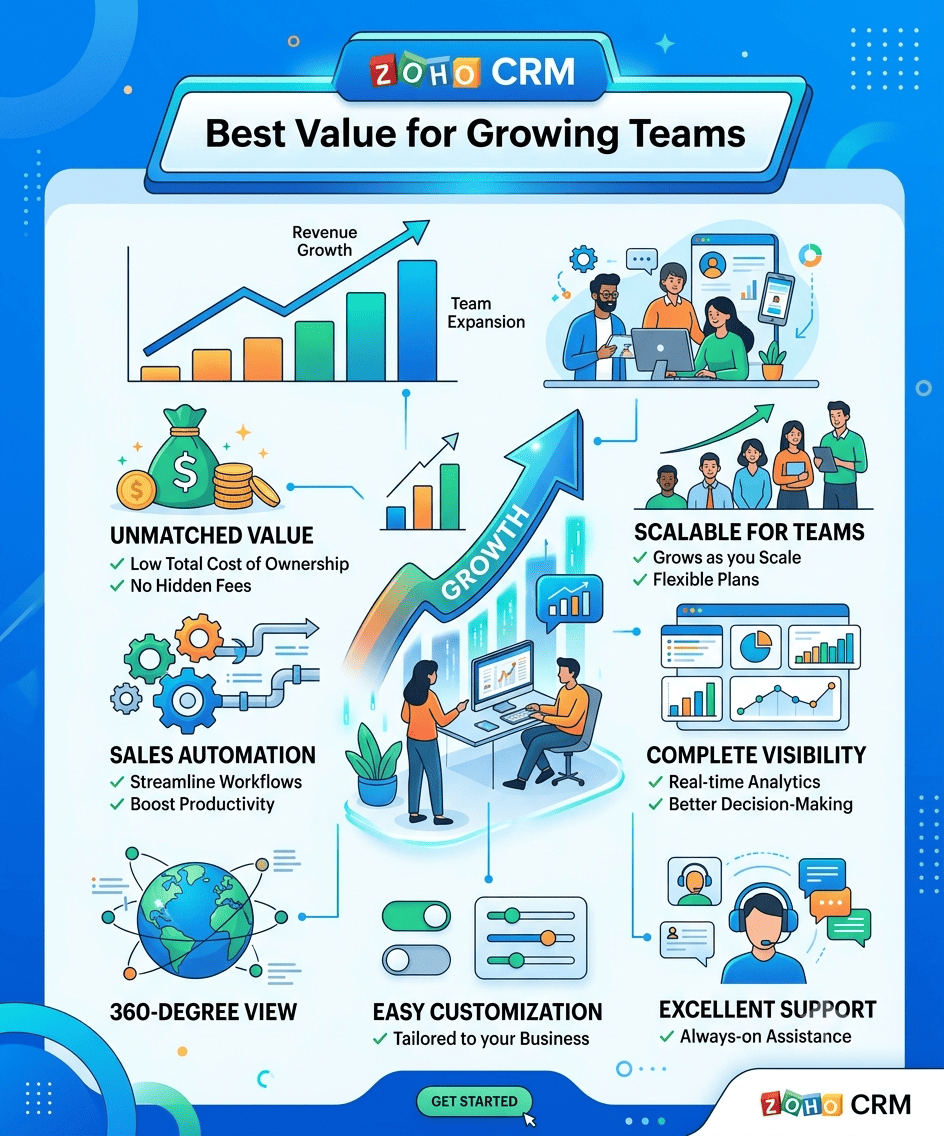
2. Zoho CRM — Best Value for Growing Teams
Starting price: Free for up to 3 users; paid plans from roughly $14/user/month
Best for: Small businesses that want enterprise-style features without an enterprise price tag. Like: Small businesses, Consultants, Retail businesses, Service providers, Budget-conscious startups, etc.
Zoho consistently ranks near the top of independent reviews for one simple reason: it packs in a genuinely deep feature set — workflow automation, an AI assistant called Zia that predicts deal outcomes and suggests best contact times, and dozens of native integrations — without charging like a Fortune 500 vendor.
If your business is already using other Zoho products (Zoho Books, Zoho Desk, Zoho Campaigns), the CRM plugs into that ecosystem with almost no friction.
It’s a favorite for teams that have outgrown a free plan but aren’t ready to pay Salesforce-level prices.
Pros:
- Affordable pricing
- Excellent customization
- AI-powered assistant
- Strong automation
- Multi-channel communication
- Mobile app
Cons:
- The interface can feel overwhelming for beginners.
- Some advanced customization requires time to master.
Why Choose Zoho CRM?
If you want advanced CRM capabilities without paying premium prices, Zoho CRM offers exceptional value. It’s particularly suitable for businesses planning to scale while keeping software costs under control.
3. Zoho Bigin — Best “CRM-Lite” for Very Small Teams
Starting price: From around $9/user/month
Best for: Micro-businesses that find full Zoho CRM overwhelming.
Bigin is Zoho’s stripped-down sibling built specifically for tiny teams that just need pipelines, contact records, and simple automation — nothing more. It’s been recognized by editors as one of the best small-business CRM picks precisely because it doesn’t try to do everything. If Zoho CRM or HubSpot feels like more software than you need, Bigin is worth a look.
Pros:
- Extremely low cost
- flexible dashboards
- fast setup
Cons:
Not built for businesses that will need advanced marketing or service features later
4. Pipedrive — Best for Visual, Sales-Only Pipelines
Starting price: No free plan; paid plans typically start around $14–$24/seat/month
Best for: Sales-focused small teams that want a clean, drag-and-drop pipeline and nothing else. Like: Sales-focused businesses, B2B companies, Agencies, Consultants, Small sales teams, etc.
Pipedrive was designed with one primary goal: helping sales teams close more deals. Instead of overwhelming users with unnecessary features, it focuses on visual pipeline management, making it easy to track every opportunity from initial contact to final sale.
The drag-and-drop sales pipeline gives teams a clear overview of active deals, allowing them to prioritize opportunities, schedule follow-ups, and monitor progress without confusion.
Pipedrive also includes automation tools that reduce repetitive work, such as automatically creating tasks, sending reminders, and updating deal stages.
Pros:
- Intuitive interface
- Excellent sales pipeline visualization
- Easy automation
- AI-powered sales assistant
- Strong reporting
- Fast onboarding
Cons:
- Limited marketing features compared to all-in-one CRMs.
- Customer service tools are less comprehensive than those of some competitors.
Why Choose Pipedrive?
Pipedrive is an excellent choice for businesses that want a CRM centered on sales performance. Its clean design and straightforward workflow help teams stay organized and close deals more efficiently.
5. Freshsales (by Freshworks) — Best Value-for-Money Pick
Starting price: Free for up to 3 users; paid plans from about $9/user/month
Best for: Small businesses that want AI features without paying AI-tier prices. Like: Growing businesses, Sales teams, SaaS companies, Technology startups, etc.
Freshsales combines customer relationship management with built-in artificial intelligence, making it an attractive option for businesses that want smarter sales processes without unnecessary complexity.
Its AI assistant analyzes customer interactions, predicts deal outcomes, identifies promising leads, and recommends the next best actions for sales representatives. These insights help teams prioritize opportunities and improve conversion rates.
Freshsales also includes integrated phone, email, chat, and messaging capabilities, allowing businesses to communicate with customers from one platform.
Pros:
- Built-in AI
- Phone integration
- Sales automation
- User-friendly interface
- Good value
Cons:
- Some advanced AI capabilities are only available on higher-tier plans.
- Marketing automation is less extensive than dedicated marketing platforms.
6. Salesforce Starter Suite — Best for Businesses Planning to Scale Fast
Starting price: Around $25/user/month
Best for: Small businesses that expect rapid growth and want a platform that won’t need replacing in two years. Like: Fast-growing businesses, B2B organizations, Technology companies, Professional service firms, etc.
Salesforce is the name most people already associate with CRM, and its Starter Suite is the company’s answer to small-business skepticism about complexity.
It’s a simplified, ready-to-use version of the platform that can be set up in minutes rather than weeks, while still giving you a clear upgrade path into the full Salesforce ecosystem if you scale into a larger sales team later.
The tradeoff is that Salesforce’s real power — and cost — show up as you move into higher tiers. Below roughly 50 users, you’re often paying for depth you won’t touch yet. Above that, nothing else matches its customization and territory management.
Key Features:
- Lead management
- Opportunity tracking
- Customer support tools
- Email marketing
- AI-powered insights
- Workflow automation
- Mobile CRM
- Advanced reporting
Pros:
- Industry-leading CRM platform
- Extensive integrations
- Powerful reporting
- Scalable architecture
- Excellent customer support
Cons:
- Learning curve for beginners
- Advanced customization may require additional setup
Why Choose Salesforce Starter Suite?
Businesses planning rapid expansion will appreciate Salesforce’s ability to grow alongside them without needing to migrate to another CRM later.
7. monday CRM — Best for Teams Already Using monday.com
Starting price: Around $12/seat/month
Best for: Businesses that already run projects and workflows inside monday.com. Like: Marketing agencies, Creative teams, Construction businesses, Consulting firms, Service-based businesses, etc.
If your team already lives inside monday.com for project management, monday CRM is the natural extension — sales data stays connected to delivery and operations work instead of living in a separate silo. It has a colorful, approachable interface that feels less like traditional enterprise software, and it carries one of the highest user-satisfaction scores of any CRM on this list.
Key Features:
- Custom sales pipelines
- Contact and lead management
- Workflow automation
- Email synchronization
- Sales forecasting
- Team collaboration
- Dashboard reporting
- Mobile application
Pros:
- Highly customizable
- Modern, intuitive interface
- Excellent collaboration tools
- Easy workflow automation
- Great project management integration
Cons:
- Some advanced features require higher-tier plans.
- Maybe more than necessary for very small businesses.
Why Choose Monday CRM?
If your business manages projects after closing a sale, Monday CRM offers the perfect balance between CRM functionality and project management.
8. Less Annoying CRM — Best for Solo Operators and Freelancers
Starting price: Around $15/user/month, flat rate.
Best for: Solopreneurs, consultants, and very small teams who want zero complexity.
As its name suggests, Less Annoying CRM is designed to remove the frustration often associated with traditional CRM software. It prioritizes simplicity, affordability, and excellent customer support.
The platform includes contact management, task tracking, calendar synchronization, sales pipeline management, and unlimited customer support without overwhelming users with excessive features.
Key Features:
- Contact management
- Sales tracking
- Calendar integration
- Task reminders
- Pipeline management
- Email logging
- Mobile-friendly interface
Pros:
- Extremely easy to use
- Transparent pricing
- Excellent customer support
- No hidden fees
- Quick setup
Cons:
- Limited automation
- Basic reporting capabilities
Why Choose Less Annoying CRM?
If your priority is simplicity and affordability, this CRM delivers the essentials without a steep learning curve.
9. Copper — Best for Google Workspace–Native Teams
Starting price: Around $9/seat/month
Best for: Small businesses that run entirely on Gmail, Google Calendar, and Google Drive. Like: Google Workspace users, Agencies, Consultants, Professional services, etc.
Copper was built to feel like an extension of Google Workspace rather than a separate piece of software. If your business already lives in Gmail and Google Docs, Copper layers CRM functionality directly on top without forcing your team to learn a new interface.
Pros:
- Deep native Google integration
- Minimal setup
- Clean design
Cons:
- Limited outside the Google ecosystem
- Premium pricing
10. Capsule CRM – Best for Simplicity
Starting price: Starts at $18/user/month (billed annually) or $21/user/month (billed monthly).
Best for: Freelancers, Consultants, Accountants, Small agencies, Law firms, etc.
Capsule CRM focuses on delivering essential CRM features through a clean and uncluttered interface. It eliminates unnecessary complexity while still providing businesses with everything needed to organize contacts, manage sales opportunities, and monitor customer relationships.
The platform is particularly popular among freelancers, consultants, and small professional service firms.
Key Features:
- Contact management
- Sales pipeline
- Calendar integration
- Task management
- Email integration
- Sales reporting
- Mobile support
Pros:
- Easy to learn
- Affordable pricing
- Simple interface
- Fast implementation
- Reliable customer support
Cons:
- Limited advanced automation
- Fewer marketing features than larger platforms
Why Choose Capsule CRM?
For businesses seeking a straightforward CRM without unnecessary complexity, Capsule CRM offers excellent value and ease of use.
11. Nimble CRM – Best for Relationship Building
Starting price: Starts at $24.90 per user/month when billed annually, or $29.90 per user/month when billed monthly.
Best for: Consultants, Recruiters, Sales professionals, Coaches, Business development teams, etc.
Nimble takes a relationship-focused approach by helping businesses strengthen connections through social media, email, and contact management. It automatically enriches contact profiles by gathering publicly available professional information, reducing manual data entry.
This makes it especially useful for businesses that rely heavily on networking and long-term client relationships.
Key Features:
- Contact enrichment
- Email tracking
- Social media integration
- Sales pipeline
- Task management
- Relationship analytics
- Calendar integration
Pros:
- Excellent relationship management
- Social media integration
- Easy email tracking
- User-friendly interface
- Contact enrichment
Cons:
- Limited marketing automation
- Smaller integration ecosystem
Why Choose Nimble?
Businesses built around networking and relationship management will benefit from Nimble’s unique approach to customer engagement.
12. EngageBay – Best All-in-One CRM for Startups
Starting price: starts at $14.99 per user/month. If you pay annually, this drops to $12.74 per user/month
Best for: Startups, Digital agencies, SaaS businesses, Small marketing teams, etc.
EngageBay combines CRM, email marketing, marketing automation, help desk, and live chat into a single affordable platform. This makes it one of the best choices for startups looking to manage both sales and marketing without purchasing multiple software subscriptions.
Key Features:
- CRM
- Email marketing
- Marketing automation
- Landing pages
- Live chat
- Help desk
- Appointment scheduling
- Sales automation
Pros:
- Affordable pricing
- Complete business suite
- Marketing automation
- Easy to use
- Strong customer support
Cons:
- Smaller app marketplace than larger competitors
- Some advanced reporting features are limited
Why Choose EngageBay?
If you’re looking for an all-in-one platform that combines CRM, marketing, and customer support, EngageBay offers excellent value.
13. Bitrix24 – Best Free CRM with Collaboration Tools
Starting price: Starts at $49 per month (billed annually)
Best for: Remote teams, Startups, Growing businesses, Internal collaboration, etc.
Bitrix24 offers far more than traditional CRM functionality. In addition to sales management, it includes project management, internal communication, video conferencing, document sharing, and task management. Its generous free plan makes it attractive for businesses with limited budgets.
Pros:
- Generous free version
- Collaboration features
- Project management
- Communication tools
- Workflow automation
Cons:
- The interface can feel overwhelming
- Learning curve for new users
14. Keap – Best CRM for Automation
Starting price: Generally starts at $249/month when billed annually.
Best for: Service businesses, Coaches, Consultants, Small agencies, etc.
Keap combines CRM functionality with advanced marketing automation, making it an excellent choice for businesses looking to automate lead nurturing, appointment scheduling, invoicing, and customer communication.
Pros:
- Powerful automation
- Built-in invoicing
- Appointment scheduling
- Email marketing
- Sales pipeline
Cons:
- Higher pricing
- Initial setup requires time
15. Zendesk Sell – Best CRM for Customer Support Teams
Starting price: Starts at $55 per agent, per month when billed annually (or $69 billed monthly).
Best for: Customer support teams, SaaS companies, Technology businesses, Service organizations, etc.
Zendesk Sell extends the popular Zendesk customer support platform by adding comprehensive sales management tools. Businesses can manage both sales and customer service from one ecosystem.
Pros:
- Excellent customer support integration
- Mobile CRM
- Sales forecasting
- Reporting
- Automation
Cons:
- More expensive than entry-level CRMs
- Best suited for businesses already using Zendesk products
16. Insightly – Best CRM for Growing Service Businesses
Starting price: Starts at $29 per user, per month (billed annually).
Best for: Consulting firms, IT service providers, Marketing agencies, Engineering companies, etc.
Insightly combines CRM, project management, and workflow automation into one platform, making it ideal for businesses that continue working with clients after a sale is completed.
Key Features:
- Lead management
- Project management
- Workflow automation
- Email marketing integration
- Contact management
- Reporting and dashboards
Pros:
- CRM and project management combined
- Strong automation features
- User-friendly dashboards
- Scalable for growth
Cons:
- Advanced features available only on higher plans
- Some integrations require paid add-ons
Why Choose Insightly?
Businesses that manage long-term client projects after closing deals will appreciate Insightly’s ability to connect sales with project delivery.
Best CRM by Business Type
Choosing the right CRM often depends on the nature of your business. Here are some recommendations based on common business needs:
| Business Type | Recommended CRM |
|---|---|
| Startups | HubSpot CRM |
| Freelancers | Capsule CRM |
| Consultants | Nimble |
| Marketing Agencies | Monday CRM |
| E-commerce Stores | Zoho CRM |
| Real Estate Agencies | Freshsales |
| SaaS Companies | Salesforce Starter Suite |
| Service-Based Businesses | Insightly |
| Small Sales Teams | Pipedrive |
| Budget-Conscious Businesses | EngageBay |
Benefits of Using CRM Software
Implementing the right CRM can transform how a small business operates. Some of the most significant benefits include:
- Better Customer Relationships: A CRM stores detailed customer information, allowing your team to provide faster, more personalized service.
- Improved Sales Performance: Sales representatives can prioritize qualified leads, monitor opportunities, and close deals more efficiently.
- Increased Productivity: Automation reduces repetitive tasks like data entry, follow-up reminders, and email scheduling.
- Better Team Collaboration: Everyone on your team can access the same customer information, reducing confusion and improving communication.
- Accurate Reporting: CRM dashboards provide real-time insights into sales performance, customer behavior, and business growth.
- Higher Customer Retention: Understanding customer needs helps businesses build stronger relationships and encourage repeat business.
How to Choose the Right CRM for Your Small Business?
Selecting the best CRM isn’t about choosing the platform with the most features—it’s about finding one that aligns with your business goals, budget, and daily workflow.
Here are the most important factors to consider:
1. Identify Your Business Needs
Before comparing CRM platforms, define what you need to accomplish. Ask yourself:
- Do you need better lead management?
- Is your sales process difficult to track?
- Do you want to automate follow-up emails?
- Are you looking for marketing automation?
- Do you need customer support features?
Knowing your priorities will help you eliminate software that doesn’t fit your requirements.
2. Consider Ease of Use
A CRM should simplify your work—not complicate it. If your team struggles to learn the software, productivity can suffer.
Look for:
- A clean interface
- Intuitive navigation
- Helpful onboarding resources
- Mobile accessibility
- Responsive customer support
3. Think About Future Growth
Your business may have five employees today but twenty in a few years. Choose a CRM that can scale with your growth.
Look for:
- Flexible pricing plans
- Additional user support
- Automation features
- Advanced reporting
- Third-party integrations
4. Check Integration Options
A CRM becomes much more powerful when it works with your existing tools.
Common integrations include:
- Gmail
- Outlook
- Microsoft 365
- Google Workspace
- Slack
- Zoom
- QuickBooks
- Xero
- Shopify
- WooCommerce
- Stripe
- Mailchimp
5. Compare Pricing Carefully
Don’t focus only on the starting price. Consider:
- Cost per user
- Storage limits
- Automation limits
- Feature restrictions
- Future upgrade costs
- Customer support availability
Sometimes a slightly more expensive CRM offers better long-term value because it reduces manual work and increases productivity.
Common Mistakes SMBs Make When Choosing a CRM
- Buying based on the sales demo, not your actual workflow. Every platform looks great in a 20-minute walkthrough. Test it with your real contacts and real deals before committing.
- Ignoring the cost of add-ons. Several CRMs advertise a low base price, then charge extra for marketing contacts, calling minutes, or storage. Read the fine print on usage-based charges.
- Choosing a tool your team won’t adopt. The most feature-rich CRM is worthless if your team quietly goes back to spreadsheets because it’s “too complicated.” Simplicity often beats power for a small team.
- Skipping the free trial. Nearly every CRM on this list offers a free plan or a trial period. Use it. A month of real-world testing tells you more than any review, including this one.
Frequently Asked Questions (FAQs)
What is the best CRM for a small business?
The best CRM depends on your needs. HubSpot CRM is an excellent all-around option for startups and growing businesses due to its generous free plan and user-friendly interface. Zoho CRM is ideal for businesses seeking advanced features at an affordable price, while Pipedrive is perfect for sales-focused teams.
Do small businesses really need a CRM, or is a spreadsheet enough?
A spreadsheet works for a handful of contacts, but it breaks down fast once more than one person is following up with customers or once you need reminders, automation, or reporting. Most businesses feel the pain point around 20–30 active leads.
Is CRM suitable for freelancers?
Absolutely. Freelancers can use a CRM to manage client information, schedule follow-ups, organize projects, and maintain professional communication—all from one place.
What’s the cheapest CRM that still has real features?
Zoho CRM and Freshsales both offer capable free tiers for up to three users, and both scale into paid plans starting under $15 per user per month — making them the best entry points if budget is the main concern.
Can I switch CRMs later without losing my data?
Yes, in most cases. All the platforms above support CSV import/export, and most offer migration tools or support teams that will help move your contacts and deal history for you.
Can a CRM improve sales?
Yes. A CRM helps businesses organize leads, automate follow-ups, monitor sales opportunities, and identify high-value prospects. These improvements often lead to increased conversion rates and stronger customer relationships.
Is a free CRM plan actually usable, or just a trial in disguise?
HubSpot, Zoho, and Freshsales all offer plans that are free indefinitely, not just for a trial period — though features like advanced automation, larger contact limits, and deeper reporting are reserved for paid tiers.
Which CRM is easiest to use?
Capsule CRM and Less Annoying CRM are known for their simplicity and minimal learning curve, making them excellent choices for beginners.
The Bottom Line:
Customer Relationship Management software has become one of the most valuable investments a small business can make. Whether you’re managing a handful of clients or building a rapidly growing customer base, the right CRM can help you stay organized, automate repetitive tasks, and create stronger relationships that drive long-term success.
For businesses looking for a powerful free solution, HubSpot CRM remains one of the strongest choices thanks to its generous feature set and ease of use.
If affordability is your priority, Zoho CRM delivers excellent value without sacrificing functionality. Sales-driven organizations may prefer Pipedrive, while project-oriented teams will appreciate Monday CRM.
Businesses seeking an all-in-one platform that combines CRM, marketing, and customer support should consider EngageBay.
Ultimately, the best CRM is the one that fits your workflow, supports your goals, and can grow alongside your business. Take advantage of free trials or free plans whenever possible, involve your team in the evaluation process, and focus on long-term value rather than short-term cost.
By implementing the right CRM and using it consistently, your small business will be better positioned to increase sales, improve customer satisfaction, and operate more efficiently in today’s competitive marketplace.
This article reflects CRM pricing and features as of mid-2026. Vendors update pricing and plans frequently, so confirm current details on each provider’s official site before making a purchase decision.